Exploring Private Endpoint routing in Azure
Private Endpoints in Azure automatically create /32 routes that can bypass your firewall—even with a default route configured. Learn how this routing behavior works and how to regain control using Private Endpoint Network Policies.


Recently I stumbled across some interesting behavior in Azure Private Endpoint routing. Let me explain and demonstrate with a small lab.
Lab setup
Let me explain the lab setup I used for this before diving in. There is also a link to a Bicep template if you want to deploy this lab for yourself to play around.
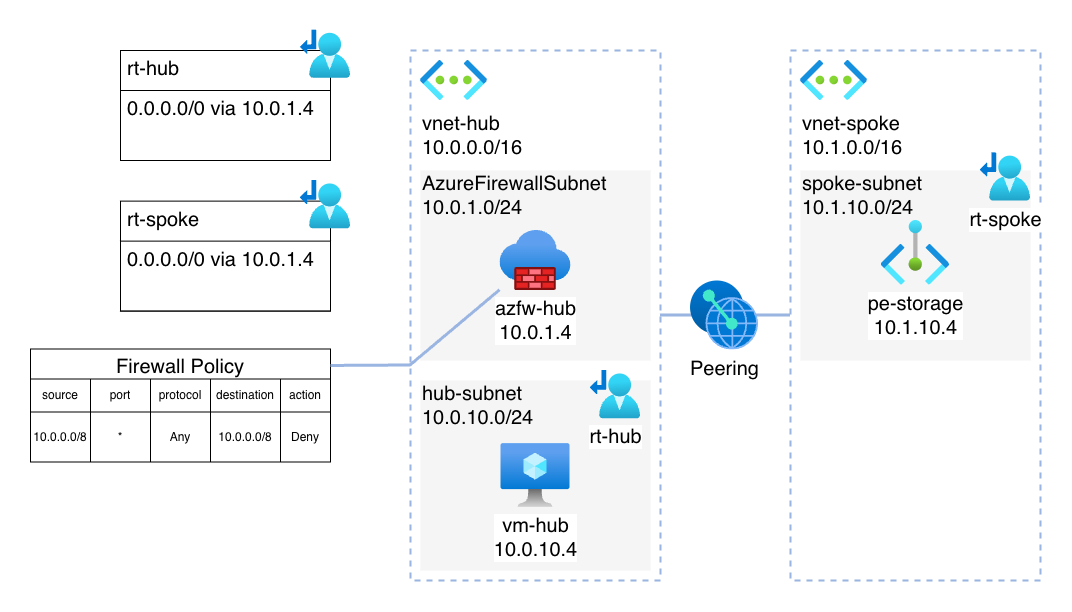
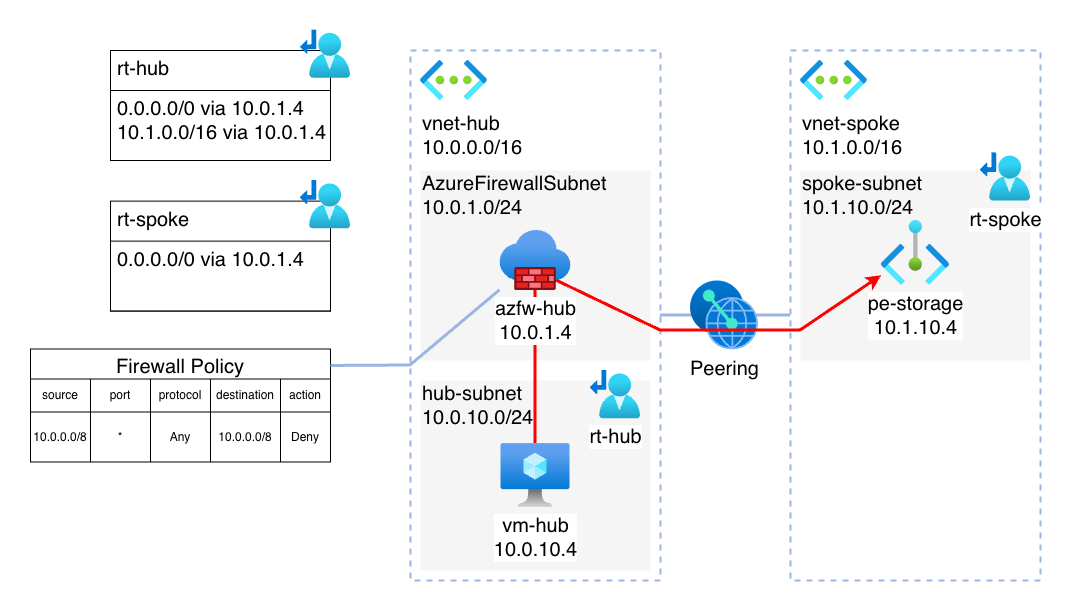
The template deploys a basic hub-and-spoke networking setup with an Azure Firewall and an VM in the hub. I chose a VM for two reasons:
- Allows for easy connectivity tests
- Allows the use of “effective routes” in the Azure Portal. I find this extremely useful, but the NIC you want to check has to be attached to an VM for this to work
The Azure Firewall has an denyAll network rule which is relevant for showcasing the routing.
The spoke VNET has one Storage Account with an Private Endpoint. The VNETs are peered to each other. Both workload subnets (in hub and spoke) also have a default route configured via the Azure Firewall.
This diagram shows the architecture of the lab setup:
Default Private Endpoint routing behavior
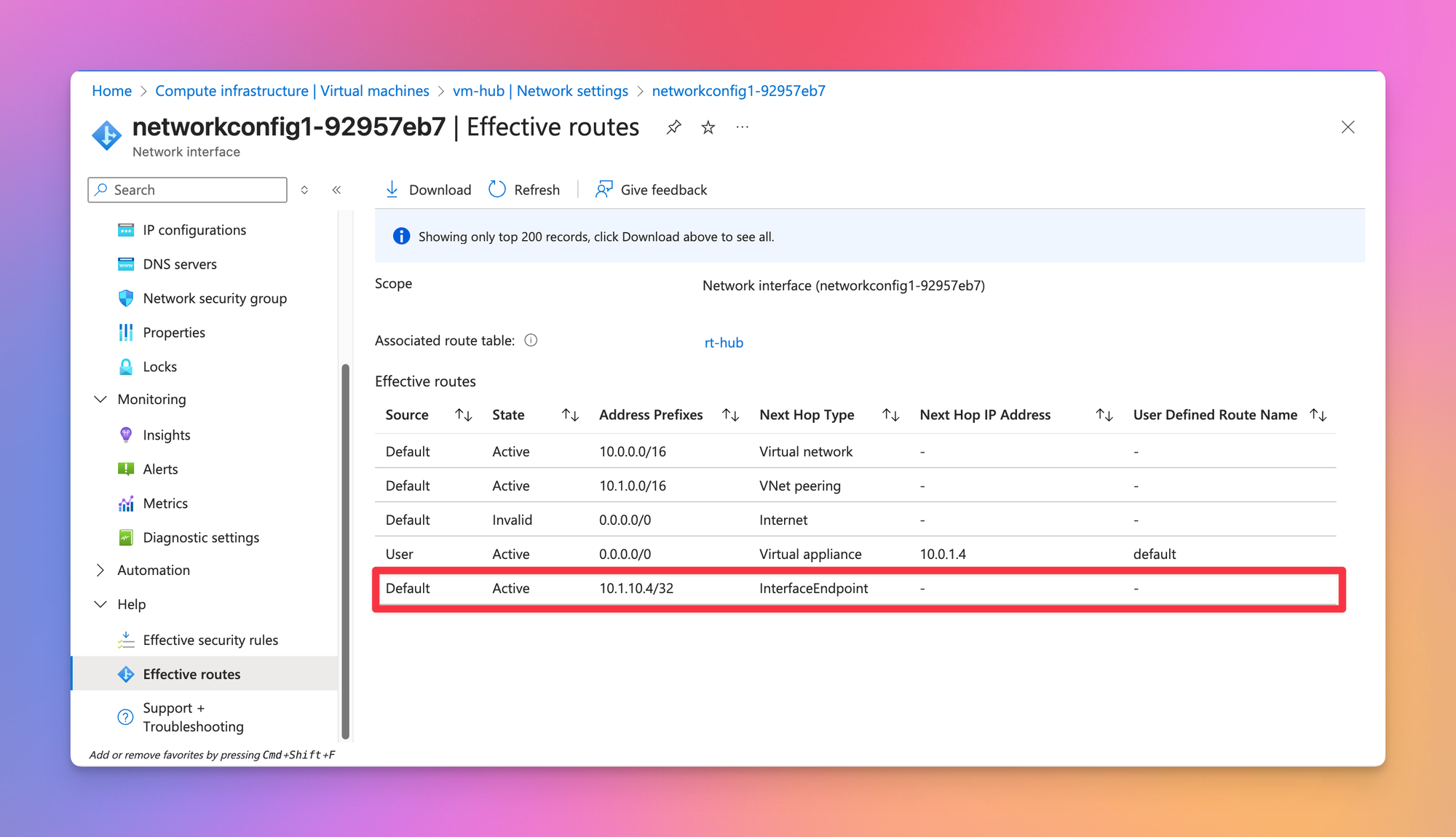
When checking the effective routes on the VM located in the hub VNET, it shows a direct /32 route to the Private Endpoint in the peered VNET.
The implication of this is, that connections from the VM in the hub network do not pass through the Azure Firewall like one would assume because of the default route in the route table. Instead, the traffic flows directly from the VM to the Private Endpoint, and this is despite there being the denyAll rule in place on the Azure Firewall:
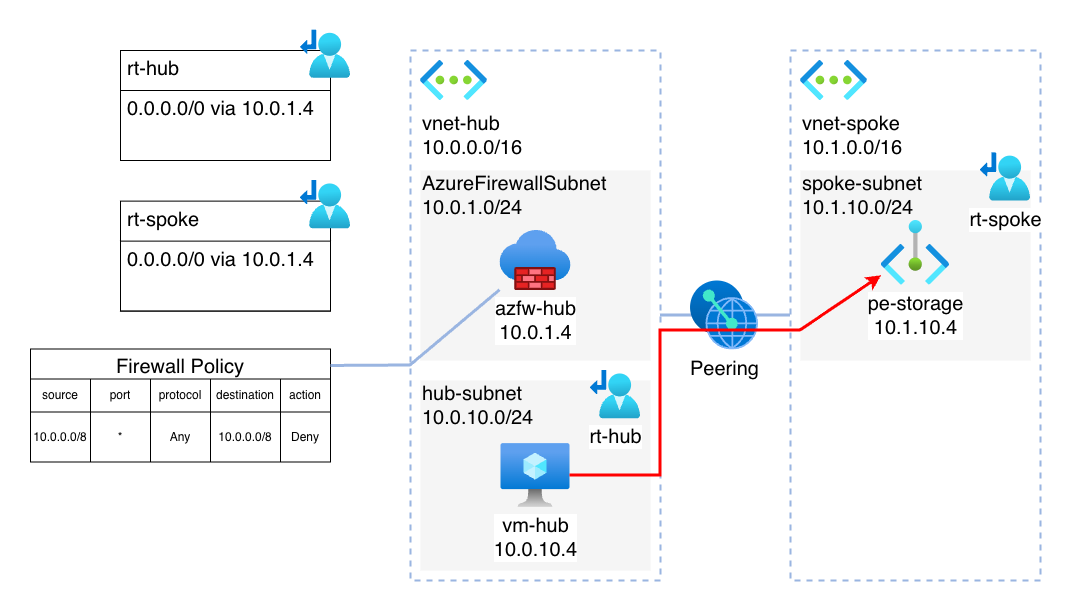
Technically, this routing behavior is correct and to be expected – more explicit routes take precedence over more implicit rules. The /32 route is obviously more explicit, and thus taking precedence over the default route.
What is not expected however is the fact, that for each Private Endpoint a dedicated /32 route gets added to all subnets within the same VNET or directly peered VNETs. This is certainly something which can cause some headache and moments of confusion if it is something you are not aware of. And in some way, this can also be a risk, because it can cause network traffic to bypass (accidentally or on purpose) NVA appliances and firewalls. By default, this route cannot be modified or overwritten, it will always take precedence over any other route you may configure.
So, if you only want fast and easy connectivity to a Private Endpoint, this function is actually pretty useful. It makes sure those endpoints can be reached without explicit networking configuration.
But what if you actually want the traffic to pass through the Azure Firewall?
Private Endpoint Network Policies to the rescue
As we’ve seen, by default Network Policies kind of “overrule” route tables and do their own thing. This is where Private Endpoint Network Policies come in. Whenever these are enabled, it basically allows for the /32 routes automatically set by Private Endpoints to be overwritten.
Private Endpoint Network Policies are set per subnet:
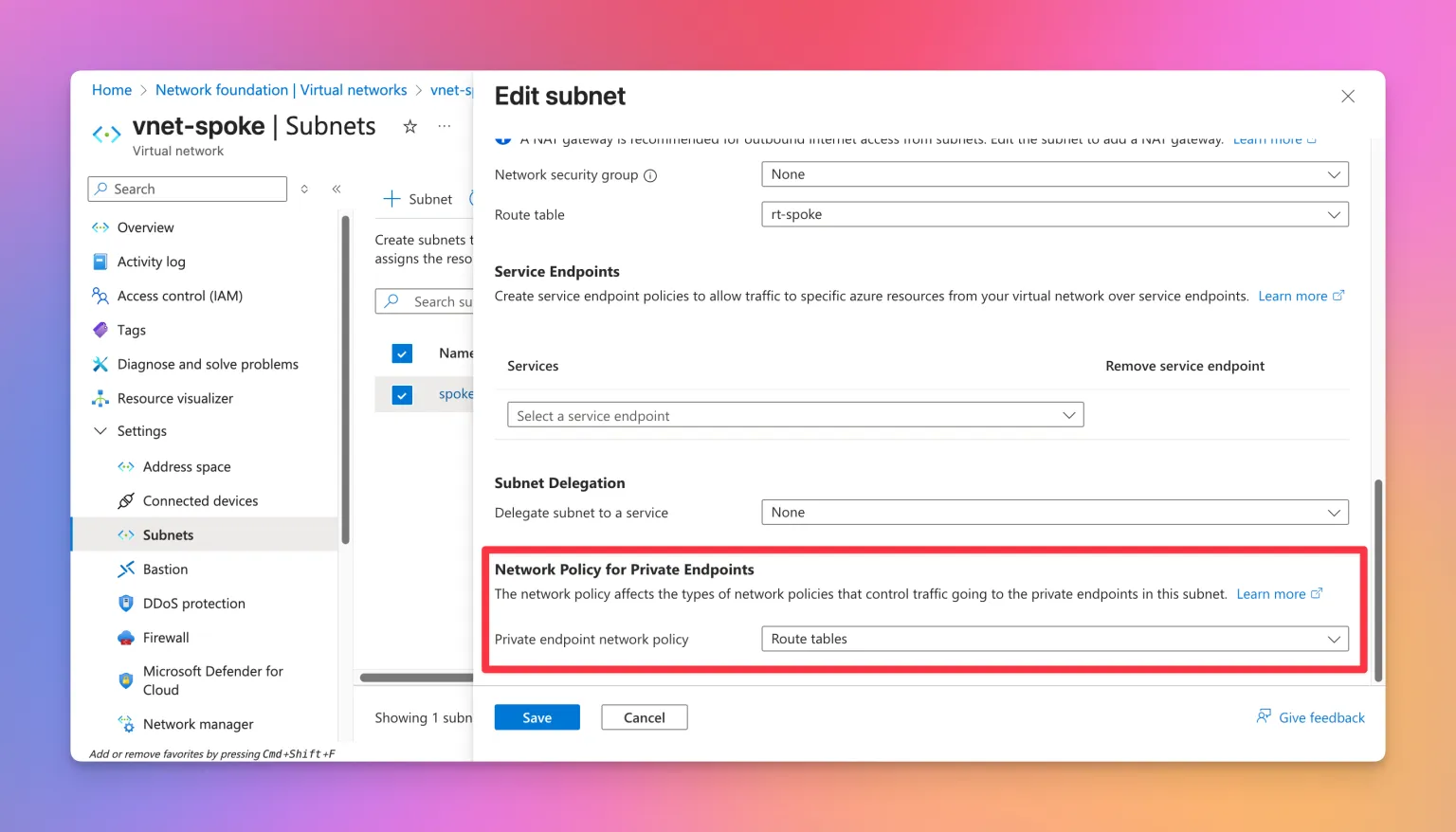
But most likely you won’t be done by just enabling the setting. While this now allows for the /32 route of the Private Endpoint to be overwritten, the route also needs to have a subnet prefix which is at least the same or more specific than the address space of the VNET where the Private Endpoint is located.
Let’s look at an example. These are the effective routes for the VM connected in the hub network after Network Policies for Private Endpoints have been enabled, but without the explicit route to the VNET set:
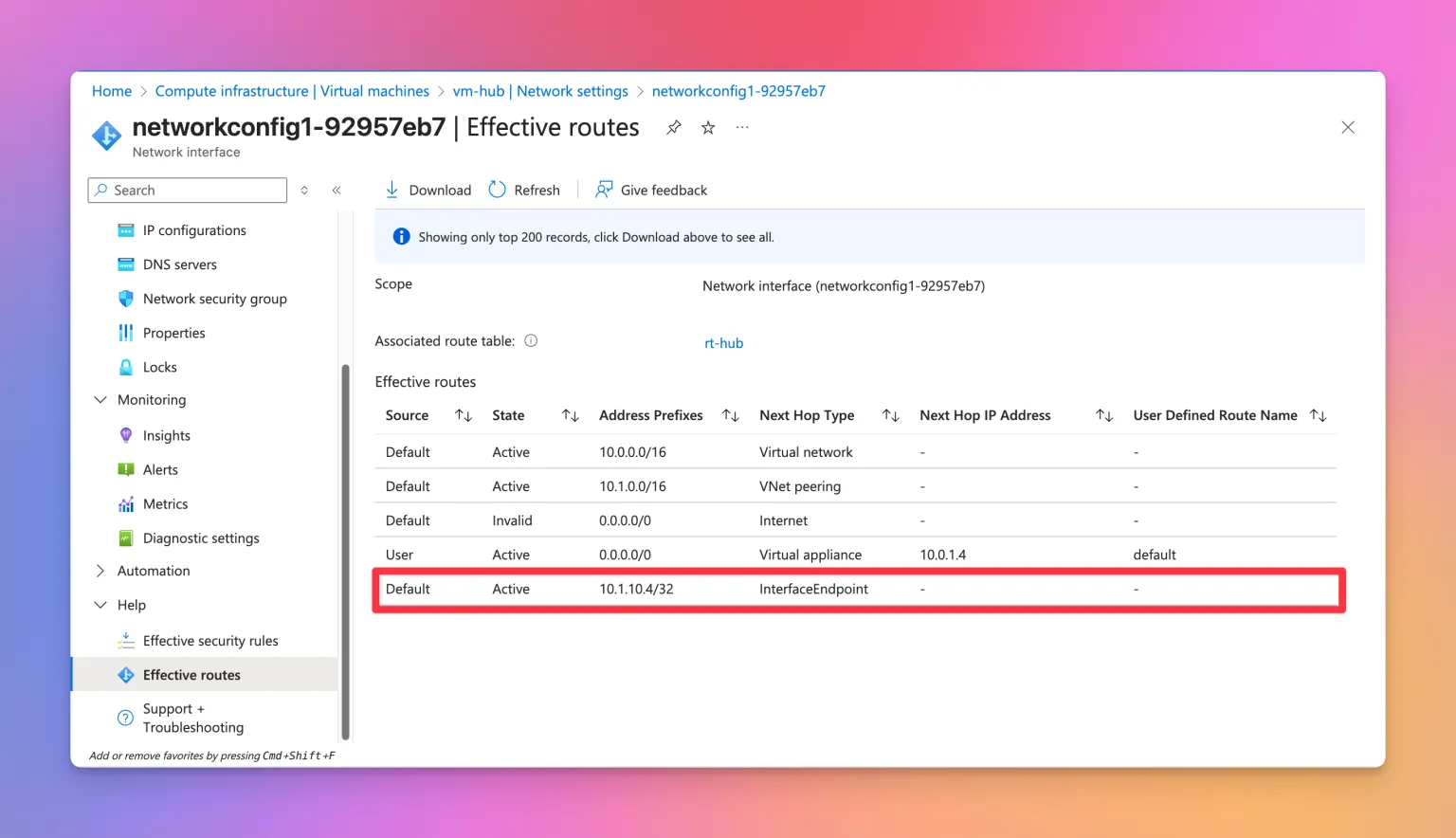
As we can see, the explicit route to the Private Endpoint is still active, as the only custom route is the default route to the Azure Firewall. This would mean, that the traffic would still flow exactly like it was before enabling Network Policies for Private Endpoint.
Now, lets take a look again after adding an explicit route to the VNET into the route table (10.1.0.0/16 via 10.0.1.4):
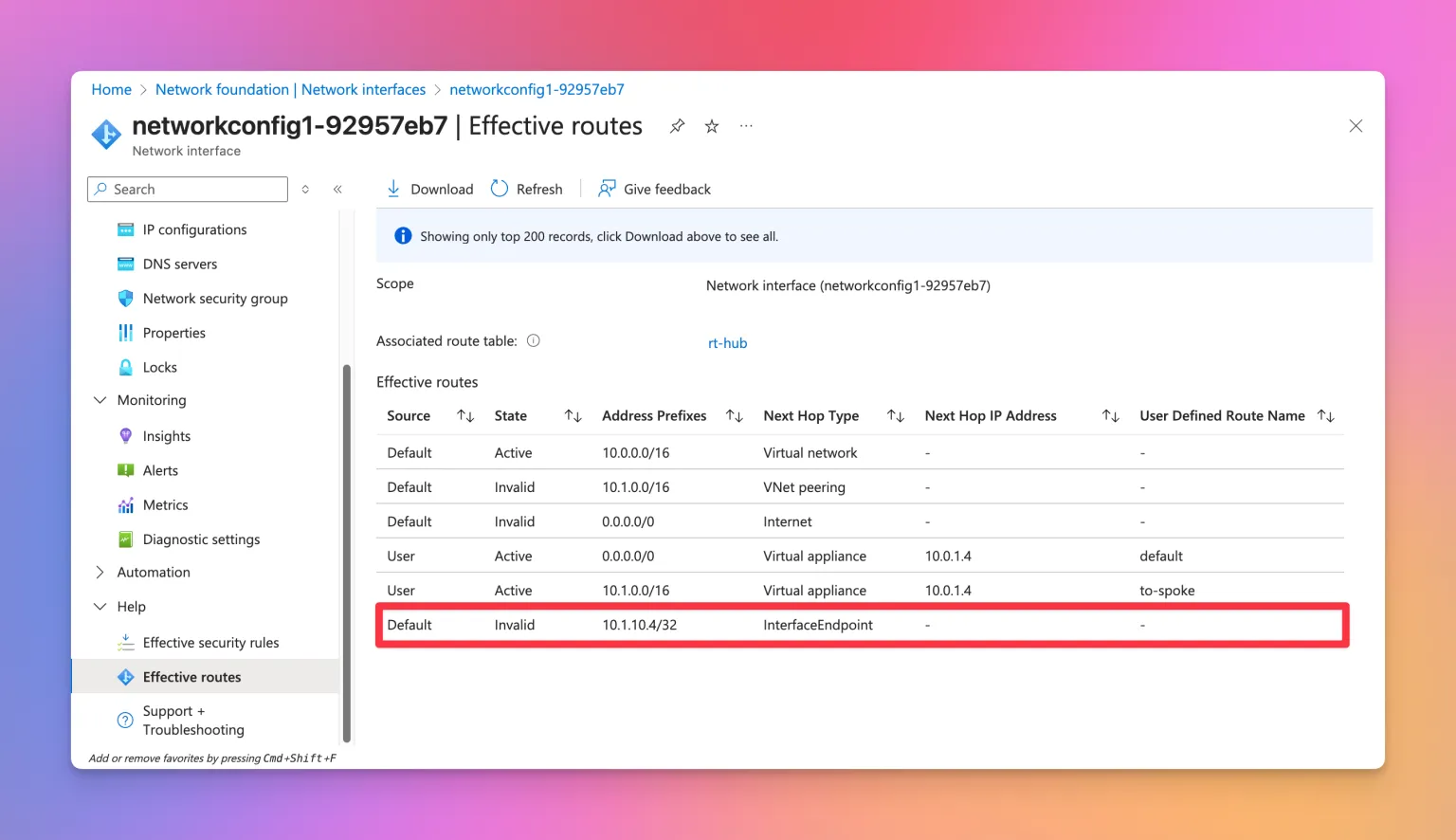
Finally, the route to the Private Endpoint is now invalid 🎉. At last, we can now control the traffic using our Azure Firewall. Looking at the diagram, this is how the traffic flows now:
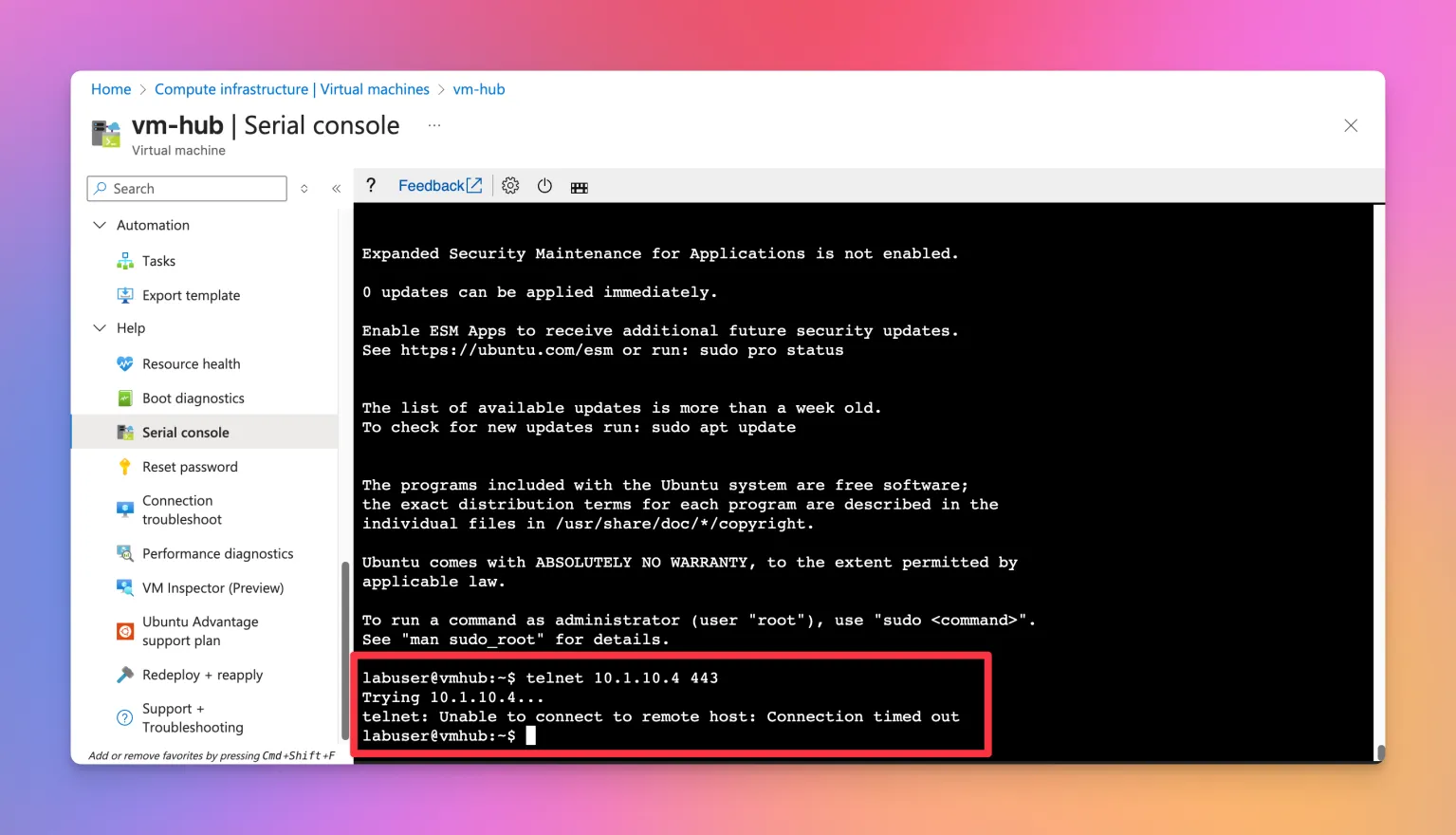
Let’s validate this using our hub VM. Remember, we have a denyAll firewall rule active, blocking all the traffic. A quick test confirms this.
Now lets test again after modifying the firewall rule set to allow connections:
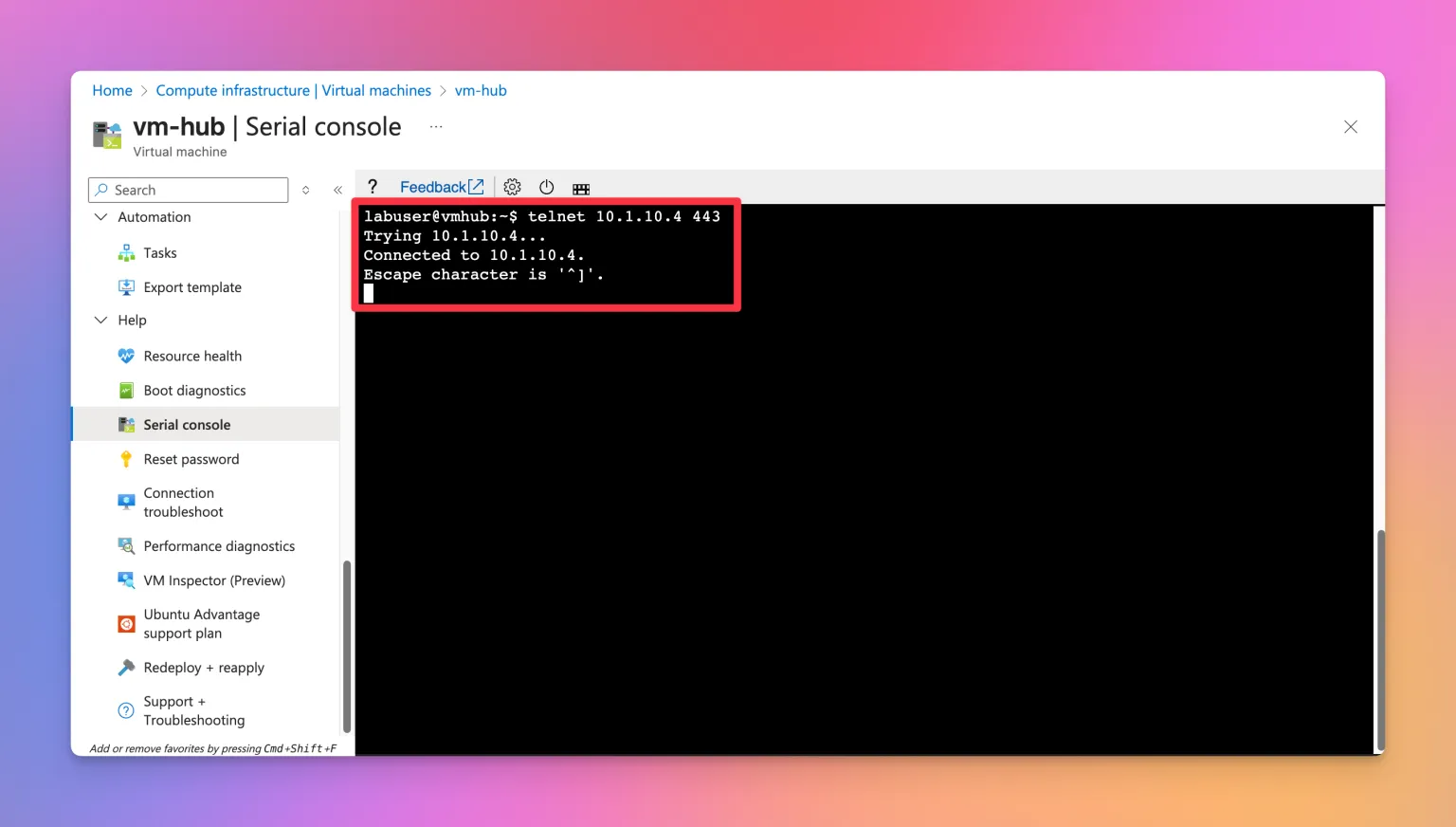
I’ve found exploring this topic very interesting and insightful. Here is the link to the related MS docs article should you want to read more:
 abell
abell
Bicep template
You can find the Bicep template to set up the lab I used for this showcase here:
 denishartl
Happy tinkering! 💪
Bye
I hope you found this article interesting or helpful. For me it was a great and interesting experience and something new to learn. Personally, I am not the biggest fan of this behavior. I think every resource in a VNET should behave identically (maybe I am not advanced enough in Azure networking yet though).
If you like what you’ve read, I’d really appreciate it if you share this article 🔥
What do you think? Leave a comment! I’d love to hear your thoughts.
Until next time! 👋